AI Browsers Are Here: What They Actually Do (And Should You Switch)?
What is an AI browser? See how tools like Comet, ChatGPT Atlas, and Dia actually work, plus honest pros, risks, and whether switching is worth it.
Read in
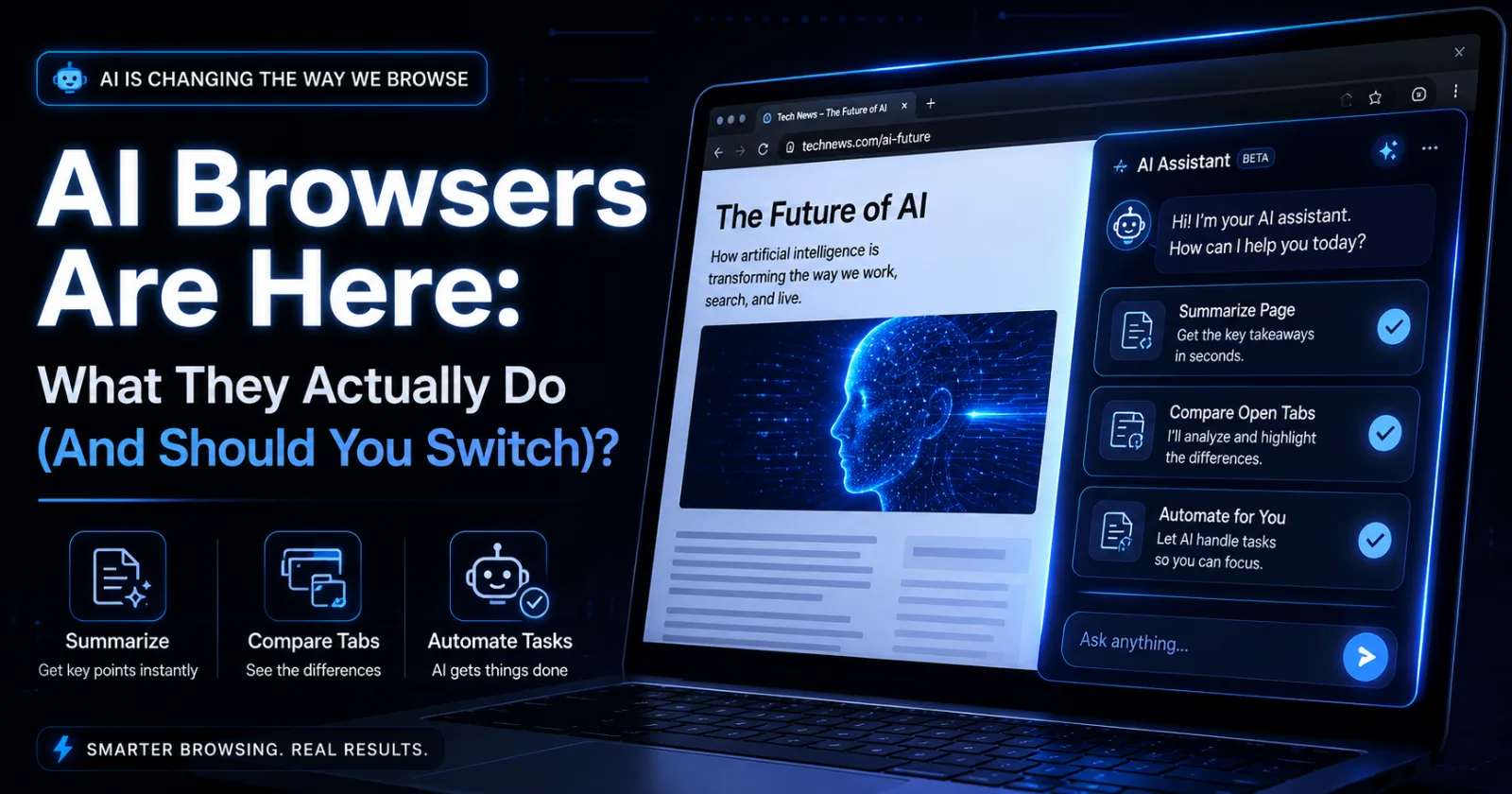
Quick Answer: An AI browser is a regular web browser with a built-in AI assistant that can summarize pages, answer questions about what you're reading, and in some cases even complete tasks like booking a table or comparing prices across sites. Tools like Comet, ChatGPT Atlas, and Dia are leading the shift. For most people, they're worth trying, but not worth fully replacing Chrome just yet — at least not for anything involving passwords or payments.
Ever open twenty tabs trying to research one decision, then close half of them without reading anything? Buying a laptop, planning a trip, comparing insurance — research like that eats hours.
That's the exact problem a new wave of browsers is trying to solve. Instead of just showing you web pages, they read, summarize, and sometimes even act on your behalf.
If you've seen headlines about Comet, ChatGPT Atlas, or Dia and wondered what an AI browser actually does, you're not alone. This guide breaks it down in plain language, including whether switching is actually worth your time.
What Is an AI Browser, Really?
In-content ad slot300 × 250 / responsive
A regular browser like Chrome or Safari just displays web pages. It doesn't understand what's on them — it just renders the code.
An AI browser adds a layer on top of that. A built-in assistant can read the page you're on, answer questions about it, summarize long articles, and in more advanced tools, actually click buttons and fill out forms for you.
So what is an AI browser in the simplest terms? It's your normal browser, plus a research assistant that never gets tired of reading.
Why AI Browsers Are Suddenly Everywhere
This isn't a small, niche update. Several major tech companies have launched competing versions within months of each other, and it's changing what "browsing" even means.
• Big players are all in. Perplexity, OpenAI, and The Browser Company have each launched their own AI browser in the past year, with Microsoft and Opera adding AI features to existing browsers too.
• Chrome's dominance is being challenged. Chrome has held roughly two-thirds of the browser market for years, and this is the most serious wave of competition it's faced in a long time.
• Research is genuinely faster. Summarizing a long article or comparing several products across tabs used to take real effort — now it can take seconds.
• It's becoming an assistant, not just a browser. Some of these tools can book reservations, draft emails, or complete multi-step tasks without you clicking through every step yourself.
• Early adoption usually pays off. Getting comfortable with these tools now means you're not playing catch-up once they become the default.
Whether or not you switch, it's worth understanding what's changing.
How AI Browsers Actually Work: Step-by-Step
Here's what using one typically looks like, using the current wave of tools as examples.
Step 1: The Assistant Reads What's On Your Screen
As you browse, an AI sidebar or chat panel has access to the content of the page you're viewing. You can ask it questions about that exact page without switching tabs.
Step 2: You Ask Instead of Searching
Instead of typing a search query and clicking through results, you can ask a direct question — "what's the return policy on this site" or "summarize this article in three points" — and get an instant answer.
Step 3: It Can Pull Together Information Across Tabs
Some AI browsers, like Perplexity's Comet, are built specifically for research — comparing sources, checking citations, and pulling information together across multiple open tabs.
Step 4: More Advanced Tools Can Take Action
Browsers like ChatGPT Atlas go a step further with what's often called "agent mode" — it can actually click through websites, fill in forms, and complete simple multi-step tasks like comparing prices across three sites.
Step 5: You Still Review Before Anything Important Happens
Well-designed AI browsers ask for confirmation before anything sensitive, like a purchase or a login, is completed. This step matters more than it sounds.
If you're curious how AI is reshaping the tools you use every day, our piece on [how to stop AI from stealing your job] covers a related shift worth understanding too.
Real Benefits of Using an AI Browser
For the right kind of browsing, these tools genuinely save time and mental effort.
• Faster research, since long articles and comparisons get summarized instantly.
• Less tab overload, because you can ask questions instead of opening five more pages.
• Handy for repetitive tasks, like comparing prices or checking basic facts across sites.
• Built-in fact-checking tendencies, with some tools showing sources alongside their answers.
• A genuinely different way to browse, useful for students, researchers, and anyone doing heavy comparison shopping.
Common Mistakes People Make With AI Browsers
Most of the issues people run into aren't really the browser's fault — they're about how it gets used.
Mistake 1: Letting It Handle Payments or Logins on Autopilot
Agentic browsers can act on what they read, which means they can occasionally misinterpret something and take an unintended action.
Fix: Keep AI assistance to research and drafting, and handle purchases, banking, or sensitive logins yourself.
Mistake 2: Expecting It to Replace Every Browsing Habit Overnight
Switching your default browser entirely on day one can feel jarring if half your workflow still depends on familiar habits.
Fix: Start by using an AI browser for research-heavy tasks, then expand from there as you get comfortable.
Mistake 3: Trusting Every Summary Without Checking the Source
AI summaries are usually accurate, but they can occasionally miss nuance or context from the original page.
Fix: For anything important, glance at the source it's citing rather than taking the summary at face value.
Mistake 4: Ignoring Privacy Settings
These tools can process a lot of what you browse, so default settings matter more here than in a traditional browser.
Fix: Check the privacy and data settings before diving in, especially if you browse anything sensitive.
Popular AI Browsers Compared
Browser
Best For
Standout Feature
Perplexity Comet
Research and fact-checking
Sidecar assistant with citations
ChatGPT Atlas
Task automation
Agent mode that completes multi-step actions
Dia
Writing and planning
Chat-with-your-tabs workflow
Microsoft Edge Copilot Mode
Windows users wanting a simple upgrade
Built into a browser you already use
Opera Neon
Hands-free task completion
Automation-focused assistant
Pro Tips Before You Try an AI Browser
• Start with research tasks, not sensitive actions, to get a feel for how it responds.
• Compare two or three tools before committing, since each one leans toward a different strength.
• Keep your regular browser installed too — you don't have to fully switch on day one.
• Review permissions carefully, especially for anything with "agent" or "automation" features.
• Use it for the tabs-overload problem first — that's where most people notice the benefit fastest.
• Don't skip the safety basics — treat agentic actions the way you'd treat any new automation tool.
Frequently Asked Questions
Is an AI browser safe to use for everyday browsing?
For general browsing and research, yes, most AI browsers are as safe as any standard browser. The main caution is around agentic features that can take actions like payments, where it's safer to stay in control yourself.
Do I need to pay for an AI browser?
Most major AI browsers, including Comet and Atlas, offer a free tier with optional paid upgrades for more advanced features. You can try the core functionality without paying anything upfront.
Can an AI browser replace Chrome completely?
It can for many people, but Chrome's ecosystem of extensions and long-standing familiarity still gives it an edge for some workflows. Many users run an AI browser alongside their regular one rather than fully switching.
What's the difference between Comet and ChatGPT Atlas?
Comet focuses more on research, comparisons, and citations, while Atlas leans into automation with its agent mode that can complete multi-step tasks. The right choice depends on whether you research more or want tasks handled for you.
Are AI browsers only useful for tech-savvy users?
No, most are designed to be simple enough for anyone to pick up, since you interact with them mostly through plain-language questions. The learning curve is closer to using a chatbot than learning new software.
Will AI browsers eventually replace traditional browsers entirely?
It's likely that most major browsers will build in some form of AI assistant over time, similar to what's already happening with Edge and Opera. Whether standalone AI browsers fully replace traditional ones is still an open question.
Final Thoughts: Worth Trying, Not Worth Rushing
An AI browser genuinely changes how research-heavy browsing feels — faster, less tab-clutter, more direct answers. That part is real, not hype.
Try one out for a single task this week — a purchase comparison, a research project, a long article you've been meaning to read. See how it feels before deciding whether it earns a permanent spot on your taskbar.
Just keep the important stuff, like payments and passwords, in your own hands for now.
Keep reading