How to Declutter Your Phone and Feel Lighter
Quick Answer: To declutter your phone, delete apps you never use and clear old photos and files. Organize your home screen, turn off pointless notifications, and empty your downloads. Clean up your photo gallery and unsubscribe from spam. A tidy phone runs faster, frees up space, and feels calmer to use.
Read in
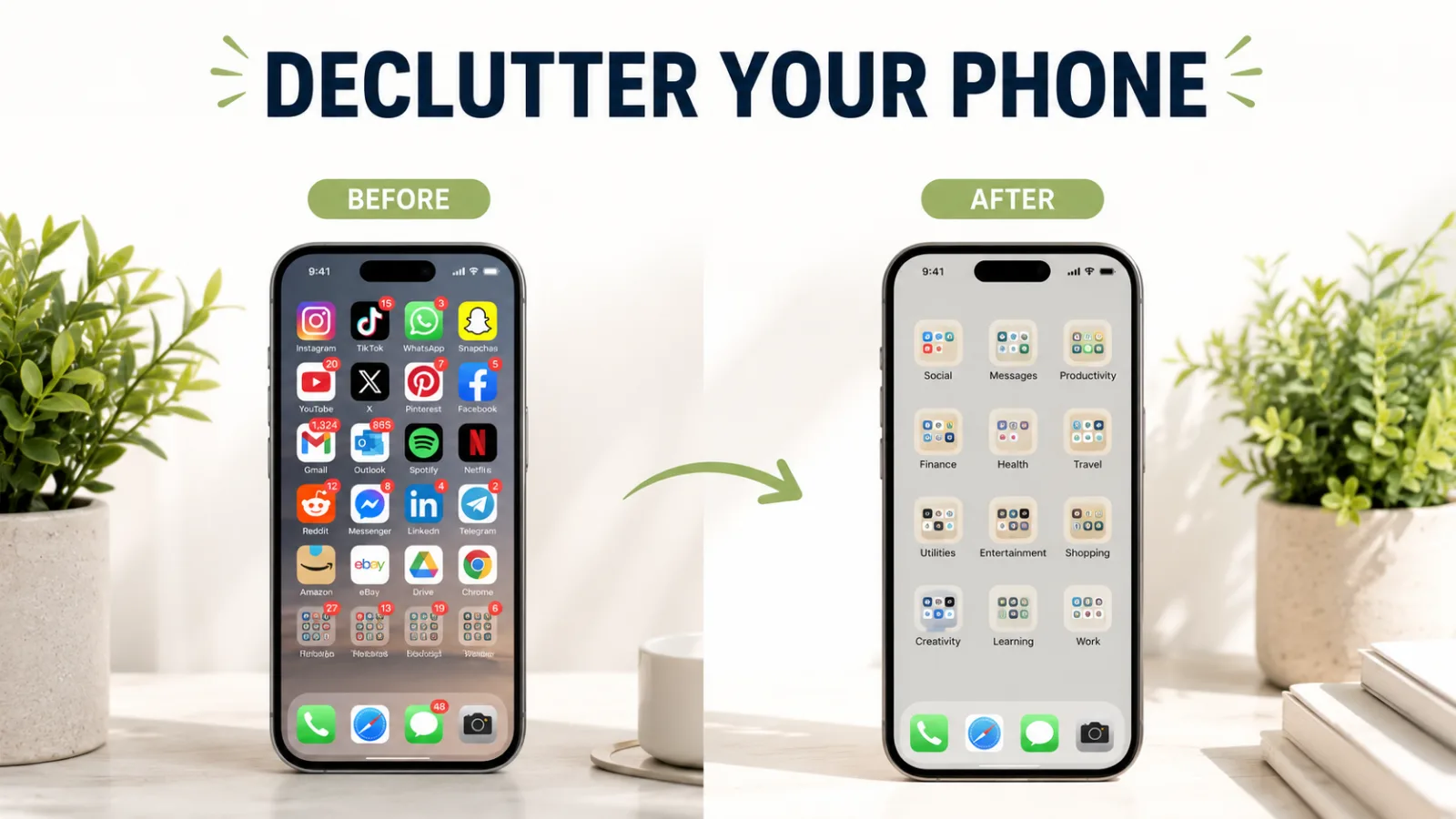
Is Your Phone a Cluttered Mess?
In-content ad slot300 × 250 / responsive
Hundreds of apps. Thousands of photos. A home screen you can barely find anything on. Sound familiar?
A messy phone slows you down. It fills up fast. And honestly, it stresses you out.
Learning how to declutter your phone changes that. It’s quick, it’s free, and it feels amazing.
Think of it like cleaning a messy room. Once it’s tidy, everything feels lighter. Your phone works better too.
Let me walk you through it step by step. In an hour, your phone will feel brand new.
What Does It Mean to Declutter Your Phone?
Decluttering your phone means clearing out the junk. Old apps, photos, files, and messages you don’t need.
It’s like a spring clean for your device. You keep what matters and toss the rest. Simple and freeing.
A cluttered phone runs slow and fills up fast. A clean one is fast, roomy, and easy to use. Big difference.
Knowing how to declutter your phone helps you enjoy it more. Less mess, less stress. That’s the goal.
Why a Clean Phone Matters So Much
A messy phone is more than annoying. It affects your speed, storage, and even your mood.
Here’s why decluttering is worth it:
More storage for photos and apps you actually want
Faster speed with less junk slowing things down
Less stress from a tidy, calm screen
Easier to find what you need fast
Better battery with fewer apps running
A clean phone just feels good to use every day.
How to Declutter Your Phone Step by Step
Ready to tidy up? Follow these steps one by one.
Step 1: Delete Apps You Never Use
Go through your apps and be honest. Haven’t opened it in months? Delete it. You can always reinstall later.
Step 2: Clear Old Photos and Screenshots
Your gallery is probably packed. Delete blurry photos, duplicates, and old screenshots. You’ll free up tons of space.
Step 3: Empty Your Downloads Folder
Old files pile up in downloads. Clear out ones you don’t need. It frees space fast.
Step 4: Organize Your Home Screen
Group apps into folders and remove clutter. Keep only what you use often up front. A clean screen feels calm.
Step 5: Turn Off Useless Notifications
Too many alerts stress you out. Turn off notifications for apps you don’t need. Peace and quiet, restored.
Step 6: Clean Up Your Messages
Delete old texts and spam threads. Clear out group chats you’ve left. Your inbox feels lighter.
Step 7: Unsubscribe From Spam
Getting junk emails or notifications? Unsubscribe or block them. Stop the clutter before it starts.
Want to organize your files or free up space fast? You can use a [free online tool] that helps you clean up in seconds — no signup needed.
The Benefits of a Decluttered Phone
Tidy up your phone, and you’ll notice the difference right away. Here’s what you gain:
More free space for the things you love
A faster phone with less junk to slow it
A calmer screen that’s easy on the eyes
Quicker access to the apps you need
Better battery life with fewer apps running
Less stress every time you pick it up
Small cleanup, big payoff. That’s the goal.
Common Phone Clutter Mistakes to Avoid
We often make clutter worse without meaning to. Avoid these.
Mistake 1: Keeping Apps “Just in Case”
Unused apps take up space and slow your phone. If you don’t use it, delete it. You can reinstall anytime.
Mistake 2: Never Clearing Photos
Photos are the biggest space hog. Delete duplicates and blurry shots often. Your storage will thank you.
Mistake 3: Ignoring Downloads
The downloads folder fills up quietly. Check it now and then. Clear what you don’t need.
Mistake 4: Leaving Notifications On
Too many alerts clutter your mind, not just your screen. Turn off the pointless ones. Enjoy the calm.
Cluttered Phone vs Clean Phone: The Difference
Wondering if a cleanup is worth it? This table shows the gap.
Feature
Cluttered Phone
Clean Phone
Speed
Slow
Fast
Storage
Always full
Plenty free
Finding apps
Hard
Easy
Battery
Drains fast
Lasts longer
Feeling
Stressful
Calm
A clean phone wins on every point. And it only takes an hour to get there.
Pro Tips to Keep Your Phone Tidy
Want to stay clutter-free? These tips help.
Delete one unused app a week.
Clear screenshots right after you use them.
Back up photos, then remove them from your phone.
Keep your home screen to one or two pages.
Turn off notifications for new apps by default.
Empty your downloads folder monthly.
Unsubscribe from spam as soon as it arrives.
Why Blogslet Makes Tech Simple
Keeping your devices tidy shouldn’t feel like a chore full of confusing steps. We keep it easy.
At Blogslet, we break down phone tips into plain, simple steps. No jargon. Just clear help you can use today.
Our readers trust us to make tech feel light and easy. Small changes, big results. That’s our promise.
Frequently Asked Questions
How often should I declutter my phone?
A quick cleanup once a month works well for most people. Delete unused apps, clear old photos, and empty downloads. A bigger clean every few months keeps things fresh. Regular small cleanups stop clutter from piling up and slowing your phone down.
Does deleting apps really free up space?
Yes, a lot. Unused apps take up storage and can run in the background. Deleting them frees space and can speed up your phone. You can always reinstall an app later if you need it. Start with the ones you haven’t opened in months.
What takes up the most space on my phone?
Photos and videos usually take up the most space. Apps and their data come next, followed by downloads and cached files. Clearing your photo gallery and unused apps frees the most room fast. Back up photos to the cloud, then delete local copies.
Will decluttering my phone make it faster?
Often, yes. A phone with less junk and fewer background apps runs smoother. Clearing storage and closing unused apps helps a lot. It won’t fix a very old phone, but for most, decluttering brings a noticeable speed boost with almost no effort.
How do I organize my home screen?
Group similar apps into folders and keep only your most-used apps up front. Remove widgets you don’t need. Aim for one or two clean pages. A tidy home screen helps you find things faster and feels much calmer to look at.
Is it safe to delete old files and downloads?
Yes, as long as you don’t need them. Downloads are usually copies of files you already have elsewhere. Clear out old documents, images, and installers. If you’re unsure about a file, back it up first. Then delete it to free up space.
Wrapping Up
Knowing how to declutter your phone keeps it fast, roomy, and calm. Delete unused apps, clear old photos, and tidy your screen. That’s most of the work right there.
Give your phone a cleanup today. You’ll feel lighter every time you use it.
Want more simple tech tips that make life easier? Explore Blogslet for honest guides that keep your devices running smooth
Keep reading